
Features
Everything you need for game art production
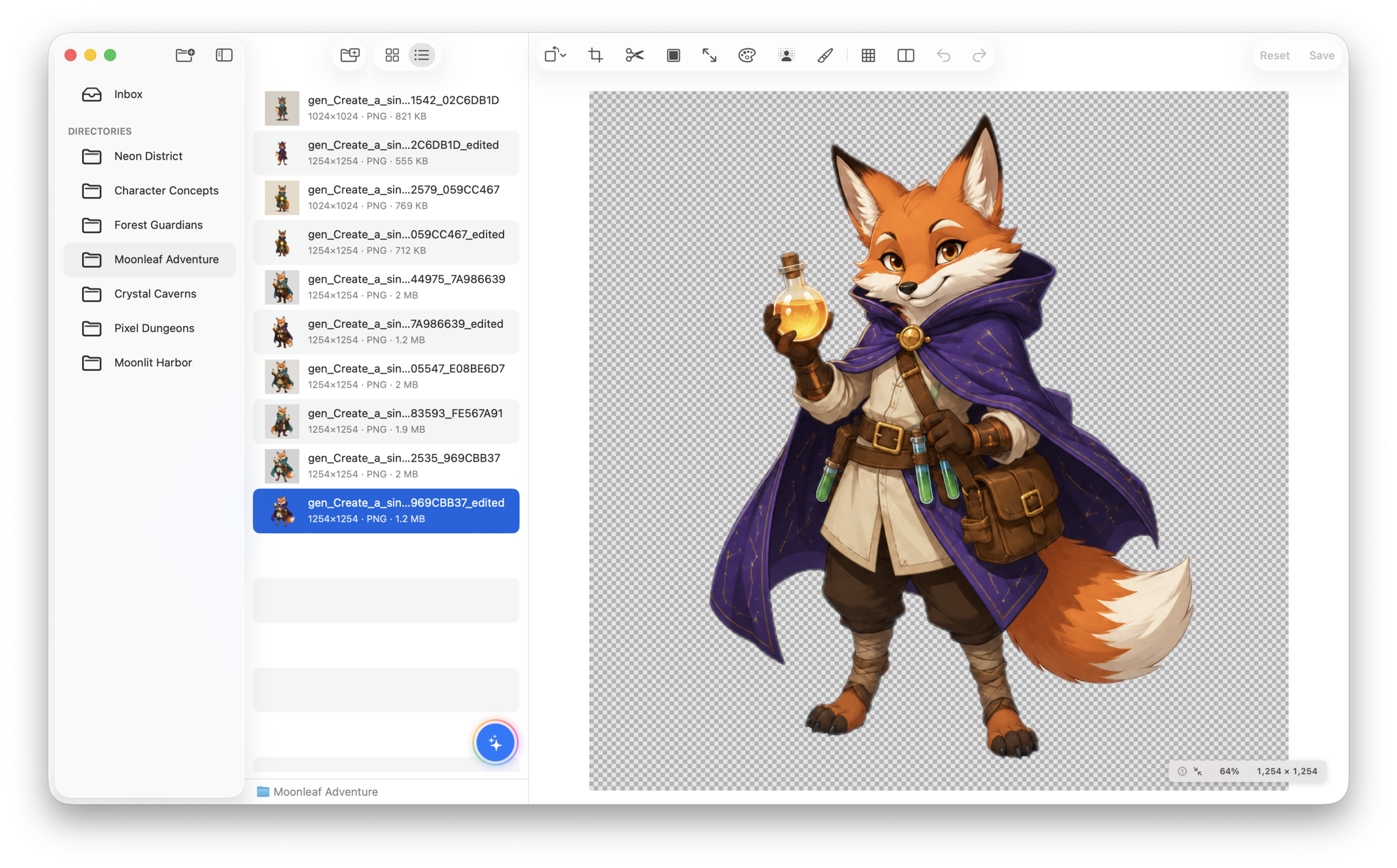
SpriteArk combines asset management, local image processing, AI generation, and workflow automation in a single native Mac app. Generate with AI, then refine locally until it’s game-ready.
Core Capabilities
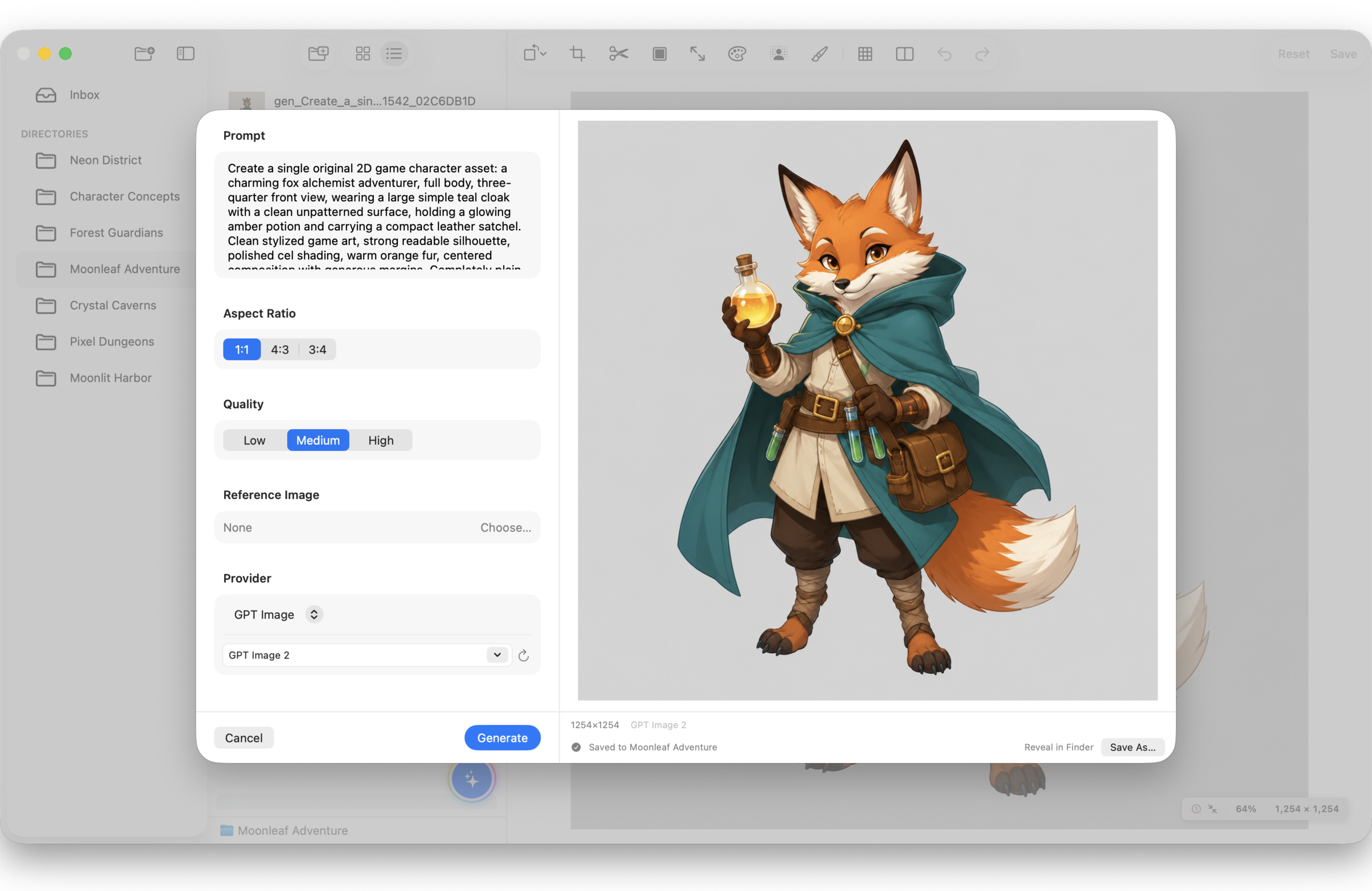
Generate on-device on Apple silicon or with providers you configure, then refine with native editing tools.
Create drafts with supported on-device or remote models, use compatible remote models for inpainting, then polish with local tools.
Apple Vision on-device segmentation — instant, offline, unlimited. AI provider options available for complex scenes.
Dedicated pixel mode with grid overlay. Paint, erase, and adjust individual pixels at any zoom level. Built for sprite work.
Edge-aware 2× and Scale3x 3× processing locally for pixel art. AI-powered upscale via providers for photographic assets.
Free crop, aspect ratio lock, 9-slice for UI panels, grid-based spritesheet slicing, and auto-detect sprites by content.
Palette extract, swap, and batch replace. Add outlines, padding, edge extrusion, and preview seamless tiling before export.
AI Generation, On-Device or Remote
Run optional models on Apple silicon without a Provider API key, or connect supported cloud providers with your own keys.
On-Device Models
On Apple silicon, download optional models to generate images in SpriteArk and analyze them through supported MCP workflows — no Provider API key required.
Cloud Providers
Connect OpenAI, OpenRouter, Gemini, or Fal.ai with credentials kept in your local App configuration. SpriteArk does not sell usage credits.
Text-to-Image & Inpaint
Generate characters, tilesets, and props with supported local or remote models. Mask a region and refine it with a compatible remote model.
MCP Integration
Use SpriteArk directly from MCP-compatible AI coding tools.
Compatible AI Clients
Use SpriteArk from Cursor, Claude Desktop, and other compatible AI coding tools — no copy-paste or context switching.
20+ Built-in Tools
Generate, edit, remove backgrounds, slice, upscale, and analyze assets through 20+ callable tools.
Multi-Step Workflows
Let your AI coordinate multi-step asset work through SpriteArk, using the local or remote capabilities you choose.
Built for Game Dev Workflows
A native Mac app designed around how you actually work with game assets.
Project files stay in folders you choose, and core editing runs on-device without an account. Remote AI task inputs are sent only when you use an enabled Provider.
Open multiple project folders simultaneously. Switch between them instantly with sidebar navigation.
Automatically refreshes when files change. Edit assets externally and see updates immediately.
Explore SpriteArk Pro
7-day Pro subscription trial for eligible customers. macOS 15.0+.