
· Announcements · 2 min read
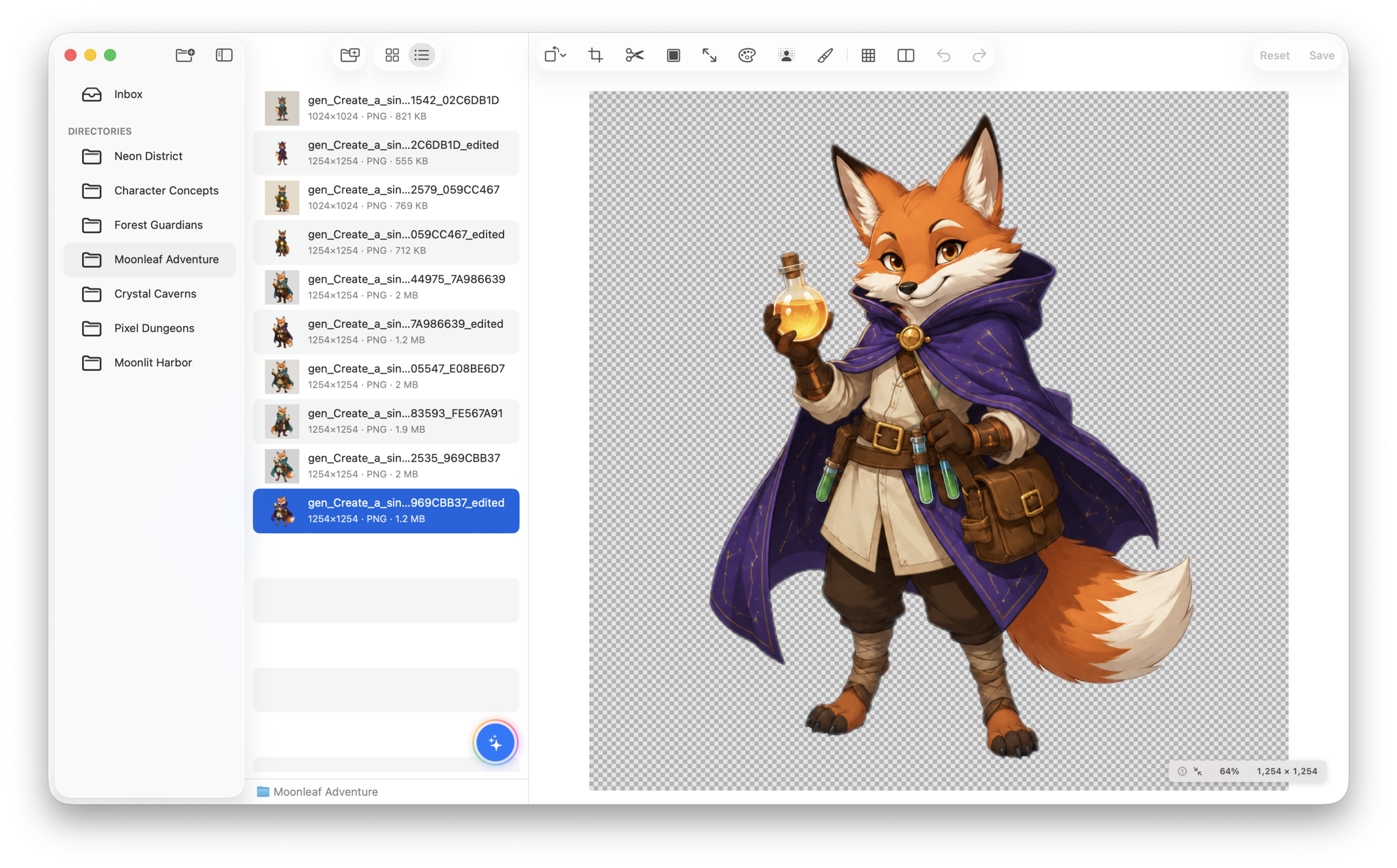
Introducing SpriteArk: A Native Mac Workbench for Game Art
Browse, edit, and enhance game art assets — with AI generation and MCP integration built into a native macOS app.
The Problem with Game Art Workflows
Indie game developers wear many hats. When it comes to art assets, the typical workflow looks like this:
- Tool Sprawl: Photoshop for editing, a web app for background removal, another tool for upscaling, a separate utility for asset cleanup.
- Cloud Dependency: Most AI tools require uploading your assets to someone else’s server. Privacy-conscious developers or those with NDA’d projects can’t risk that.
- File Management Pain: Generated and edited assets scattered across downloads folders, export directories, and cloud storage.
Enter SpriteArk
SpriteArk is a native macOS app that combines the tools indie game developers actually need into a single workspace.
Local-First Processing
Background removal (via Apple Vision), pixel-art upscaling (edge-aware 2× and Scale3x 3×), spritesheet slicing, and image editing all run entirely on your Mac. No internet required, no per-image credits, no upload wait times.
AI Generation with Your Own Keys
Connect your own API keys for OpenAI, OpenRouter, Gemini, or Fal.ai. Generate and inpaint assets directly in your workspace — you control the cost and the data.
MCP Integration
SpriteArk exposes built-in tools via the Model Context Protocol. Control it from Cursor, Claude Desktop, or any MCP-compatible AI client. Let your coding AI handle art pipeline tasks while you focus on game logic.
Direct File System Access
Open any folder on your Mac. Edit assets right where your game engine reads them — no import/export dance, no proprietary databases.
Get Started
Eligible customers can start a 7-day Pro subscription trial. After the trial, asset browsing, preview, and organization remain free; all editing, processing, AI, and MCP tools require Pro.